Pinball Palm Rest Kit for Arcade2TV‑XR/Tankstick VR – Installation & DIY Guide
Want to go straight to the kit? Buy the Palm Rest Kit for Arcade2TV‑XR/Tankstick VR and give your hands a rest during marathon pinball sessions.
To make pinball on the Arcade2TV‑XR/Tankstick VR more comfortable, we developed left‑ and right‑hand palm rests. This guide walks you through what’s in the kit, how to install the palm rests correctly, and how to print and attach your own adapters.
What’s in the kit
- Two palm rest adapters (left & right) with clear gel tape pre‑attached.
- Installation instructions for cleaning and placement.
- A link to download the 3D models for home printing.
Why we made it
Pinball players told us that leaning on the side buttons made their hands sore and sometimes triggered buttons. These palm rests lift your hands off those buttons and let you lean naturally without discomfort.
Installing the palm rests
- Clean the surfaces. Before applying any tape, clean the left and right top surfaces of your Arcade2TV‑XR/Tankstick VR. A 50/50 mixture of isopropyl alcohol and water is ideal for removing oil and dirt . Let the area dry completely.
- Position the rests.
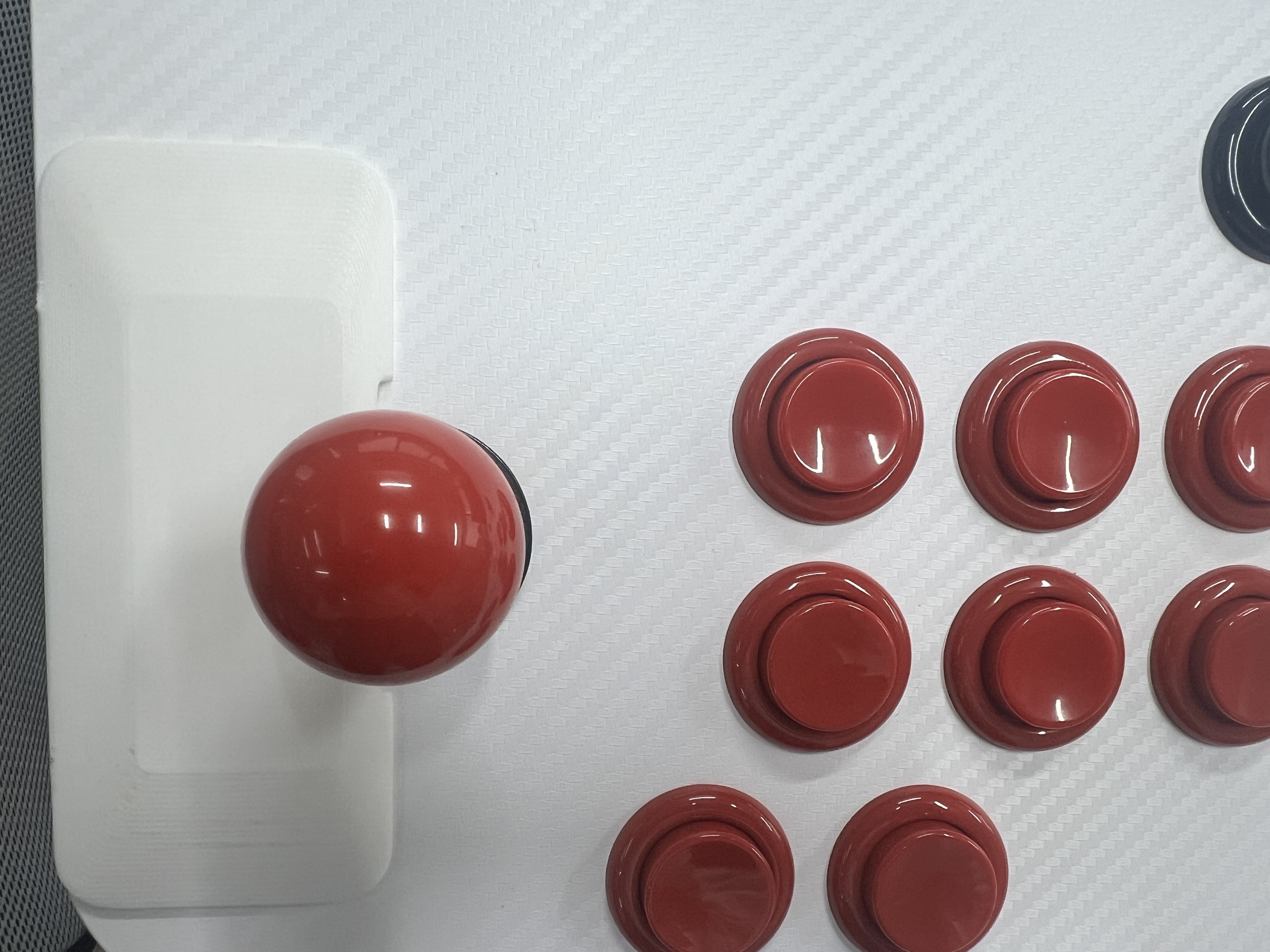
- Identify left and right: The left rest has a curve on the inside edge so the left joystick can move freely. Align the rest’s vertical guide line with the left joystick, then slide it horizontally until it sits just inside the controller’s left edge—about 0.5 to 1 mm inwards. Avoid placing it flush against the edge; a slight inward offset prevents discomfort caused by sharp corners.
- Right side: The right palm rest sits directly over the two pushbuttons near the controller’s right edge. The rest has two holes that match up with those buttons—align them so the buttons poke through and remain fully usable.
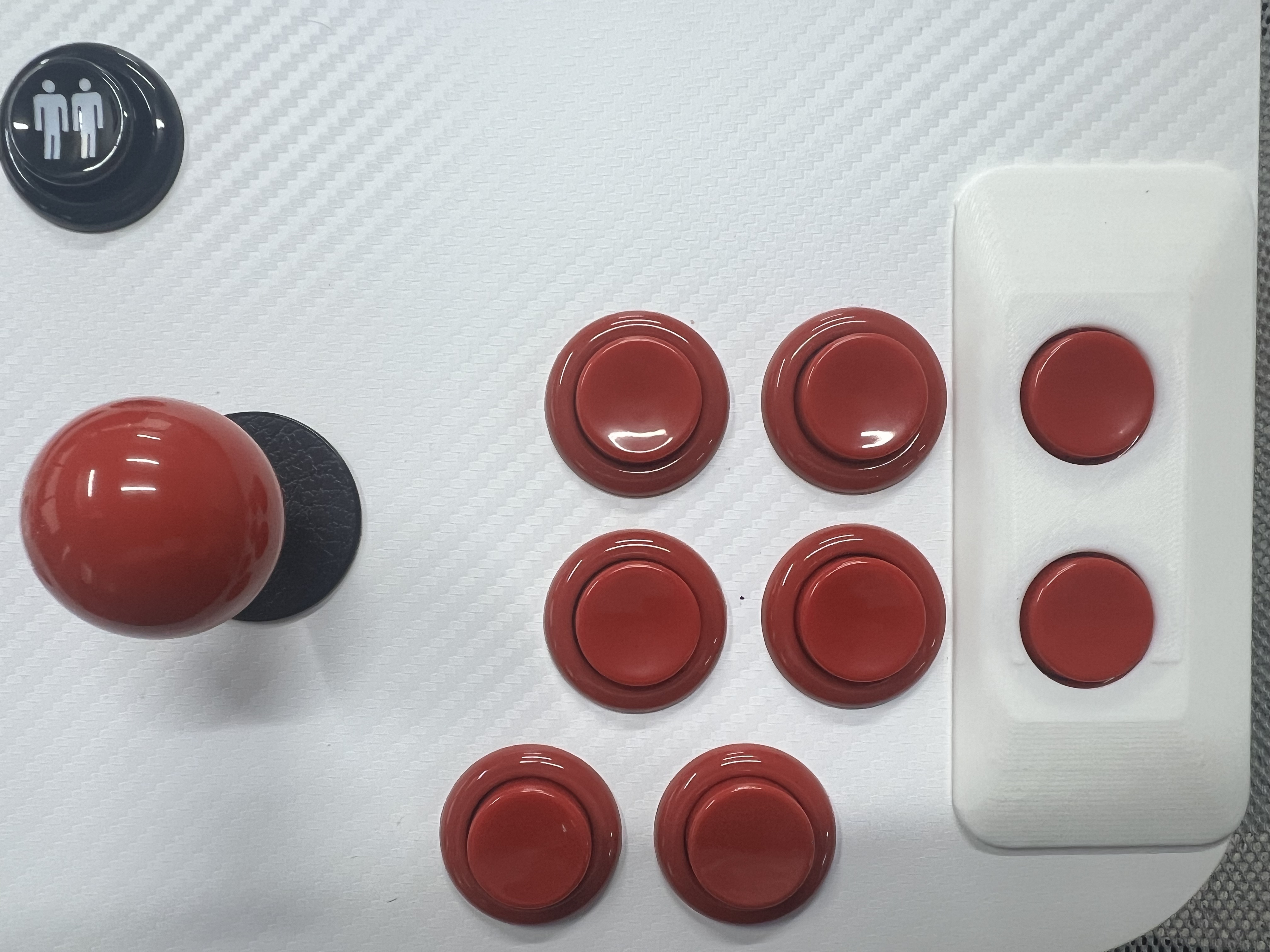
Hold each rest in place briefly to visualize the fit; the outside edge should follow the contour of your controller.
- Remove the protective film. Peel the liner off the gel tape. This clear nano‑grab tape bonds firmly yet removes cleanly without leaving sticky residue.
- Apply and press. Carefully place each rest on the prepared surface and press down firmly. Apply even pressure for several seconds. Gel tape adheres best on clean, smooth surfaces . The adhesive will reach about half its ultimate strength after 20 minutes and full strength after 24 hours, so try to avoid stressing the rest during this period.
- Repositioning or removal. If you need to adjust, gently lift the rest. The gel tape is removable and reusable. Wash it with warm, soapy water if it collects dust, let it dry, then reapply.
DIY printing instructions
If you have a 3D printer, you can make your own palm rests:
- Download the STL files. Follow the download links for the left‑hand rest and right‑hand rest models. These files are licensed for personal use only.
- Print settings. We recommend using PLA, PETG or PA12 filament. For most utility prints, an infill of 20 – 30 % provides a good balance of strength and material use . Increase infill if you prefer a heavier feel.
- Post‑processing. After printing, lightly sand any rough edges to make the rest comfortable.
- Attach with tape. Cut clear gel tape into 10 × 40 × 2 mm strips. Clean the controller surface as described above, peel the tape liner, align the rest, and press down.
FAQs
- Do you include tape with the 3D files? No. When printing your own, you’ll need to supply your own double‑sided gel tape (10 × 40 × 2 mm). The retail kit includes tape.
- Will this damage my controller? No. The gel tape is clear, removable and doesn’t leave sticky residue.
- Can I adjust the position after installation? Yes. Gel tape can be peeled off and repositioned. If it loses tack, rinse it with warm, soapy water and let it dry before reusing.
- What if I need help? Contact our customer support or open a ticket. We’re happy to assist.
Source article: <https://support.xgaming.com/support/solutions/articles/12000105562-pinball-palm-rest-kit-for-arcade2tv%E2%80%91xr-tankstick-vr-installation-diy-guide>